> ## Documentation Index
> Fetch the complete documentation index at: https://elementary-ele-2784-fix-alerts-configuration-links-docs.mintlify.site/llms.txt
> Use this file to discover all available pages before exploring further.
# Connect data warehouse
### Create your first environment
When you first login to Elementary, it will not have any data.
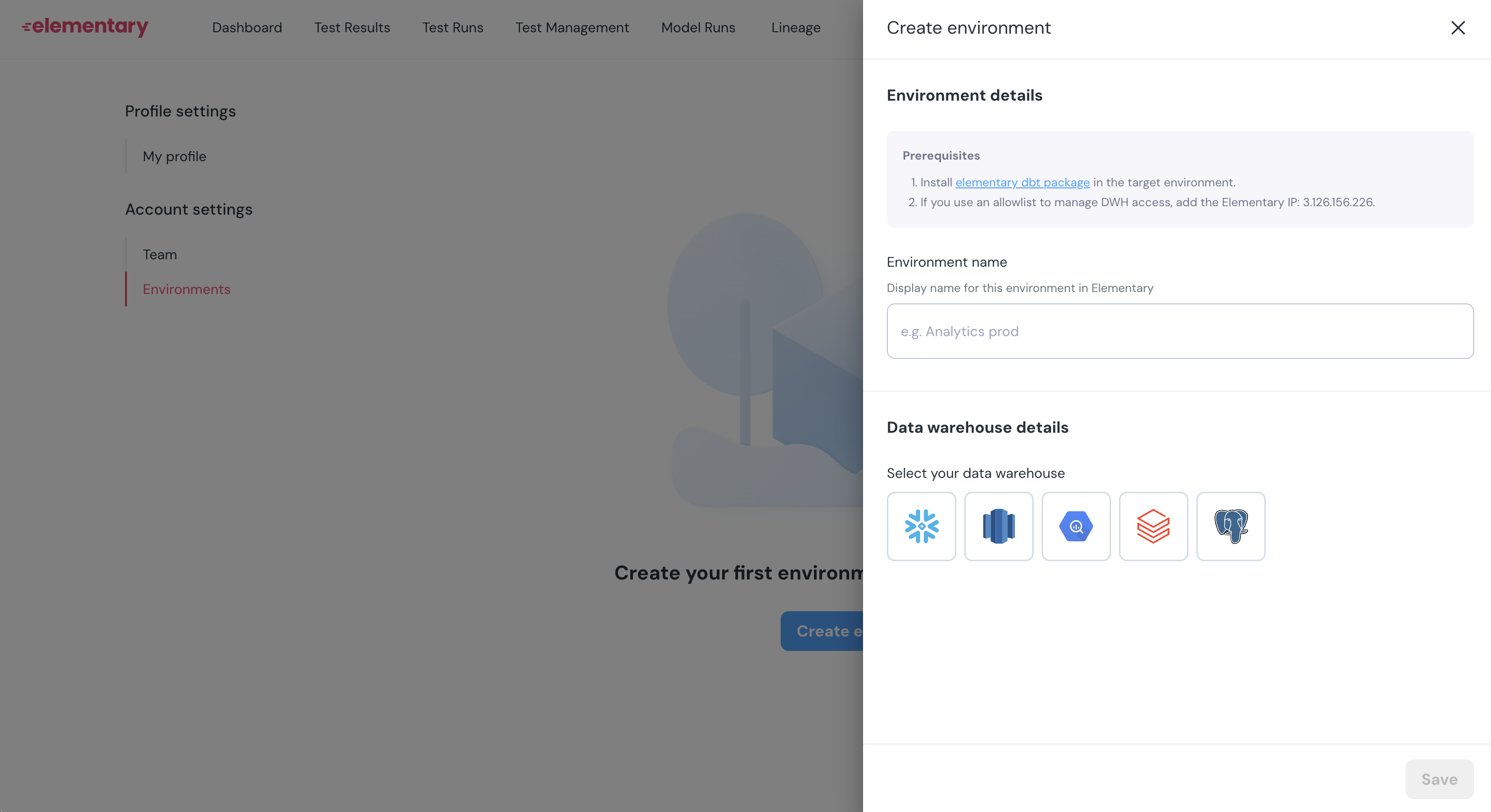
You will be forwarded directly to the environments screen to create your first environment.
Press `Create environment`, and provide an environment name:
 ### Connect data warehouse
You can connect Elementary to a data warehouse that has an Elementary schema (created by the [Elementary dbt package](/cloud/onboarding/quickstart-dbt-package)).
Elementary Cloud needs:
* Read permissions to the Elementary schema (and not the rest of your data)
* Network access (might require to allowlist Elementary IP address)
Which data warehouse do you wish to connect?
### Allowlist Elementary IP
Elementary IP for allowlist: `3.126.156.226`
### What happens now?
Once Elementary Cloud successfully connects to you data warehouse, it will start syncing data from the Elementary schema to cloud. This data includes tests results, run results, metadata and configuration.
If you see data in the Elementary Dashboard you completed your connection (Congrats! 🎉).
The syncs happen by default once an hour, but you can also [configure a triggered sync](/cloud/guides/sync-scheduling) to get a near real time experience.
### Connect data warehouse
You can connect Elementary to a data warehouse that has an Elementary schema (created by the [Elementary dbt package](/cloud/onboarding/quickstart-dbt-package)).
Elementary Cloud needs:
* Read permissions to the Elementary schema (and not the rest of your data)
* Network access (might require to allowlist Elementary IP address)
Which data warehouse do you wish to connect?
### Allowlist Elementary IP
Elementary IP for allowlist: `3.126.156.226`
### What happens now?
Once Elementary Cloud successfully connects to you data warehouse, it will start syncing data from the Elementary schema to cloud. This data includes tests results, run results, metadata and configuration.
If you see data in the Elementary Dashboard you completed your connection (Congrats! 🎉).
The syncs happen by default once an hour, but you can also [configure a triggered sync](/cloud/guides/sync-scheduling) to get a near real time experience.