> ## Documentation Index
> Fetch the complete documentation index at: https://elementary-ele-2784-fix-alerts-configuration-links-docs.mintlify.site/llms.txt
> Use this file to discover all available pages before exploring further.
# Github
Elementary connects to the code repository where your dbt project code is managed, and opens PRs with configuration changes.
### Create a Github [fine-grained token](https://docs.github.com/en/authentication/keeping-your-account-and-data-secure/managing-your-personal-access-tokens#creating-a-fine-grained-personal-access-token)
1. In the upper-right corner of any page, click your profile photo, then click **Settings**.
2. On the bottom of the left sidebar, click **Developer settings**.
3. On the left sidebar, select **Personal access tokens > Fine-grained tokens**.
4. Click **Generate new token**.
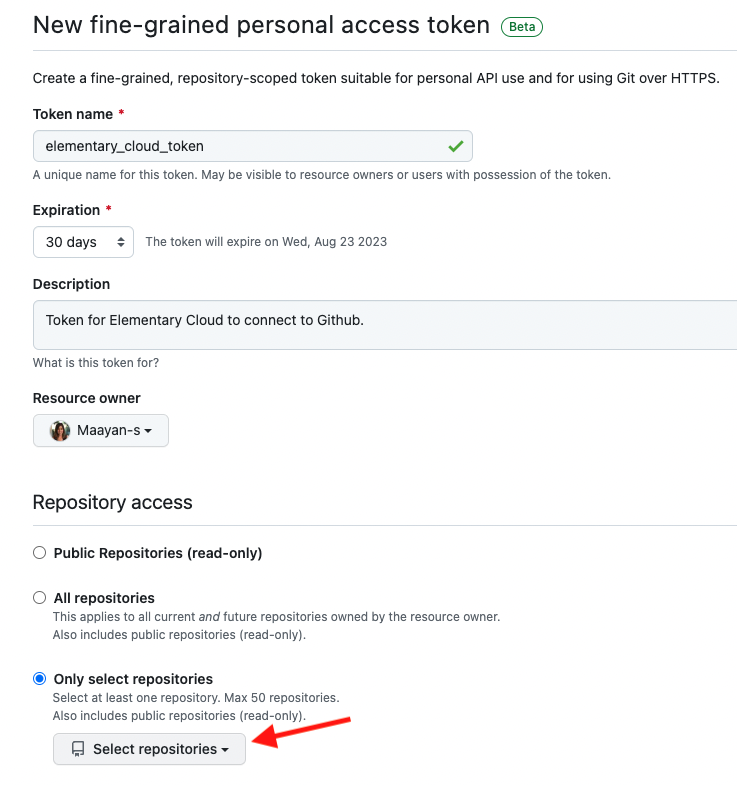
5. Enter a token name, expiration (we recommend 90 days) and description.
6. Under **Resource owner** select the owner of the dbt project repo. If it is missing, you need to contact the resource owner administrator and ask him to approve fine-grained personal access tokens. Read more in For more information, see ["Setting a personal access token policy for your organization"](https://docs.github.com/en/organizations/managing-programmatic-access-to-your-organization/setting-a-personal-access-token-policy-for-your-organization).
7. Under **Repository access** select **Only selected repositories** and select the repo of your dbt project (see picture).
 8. Under **Permissions**, grant the following scopes:
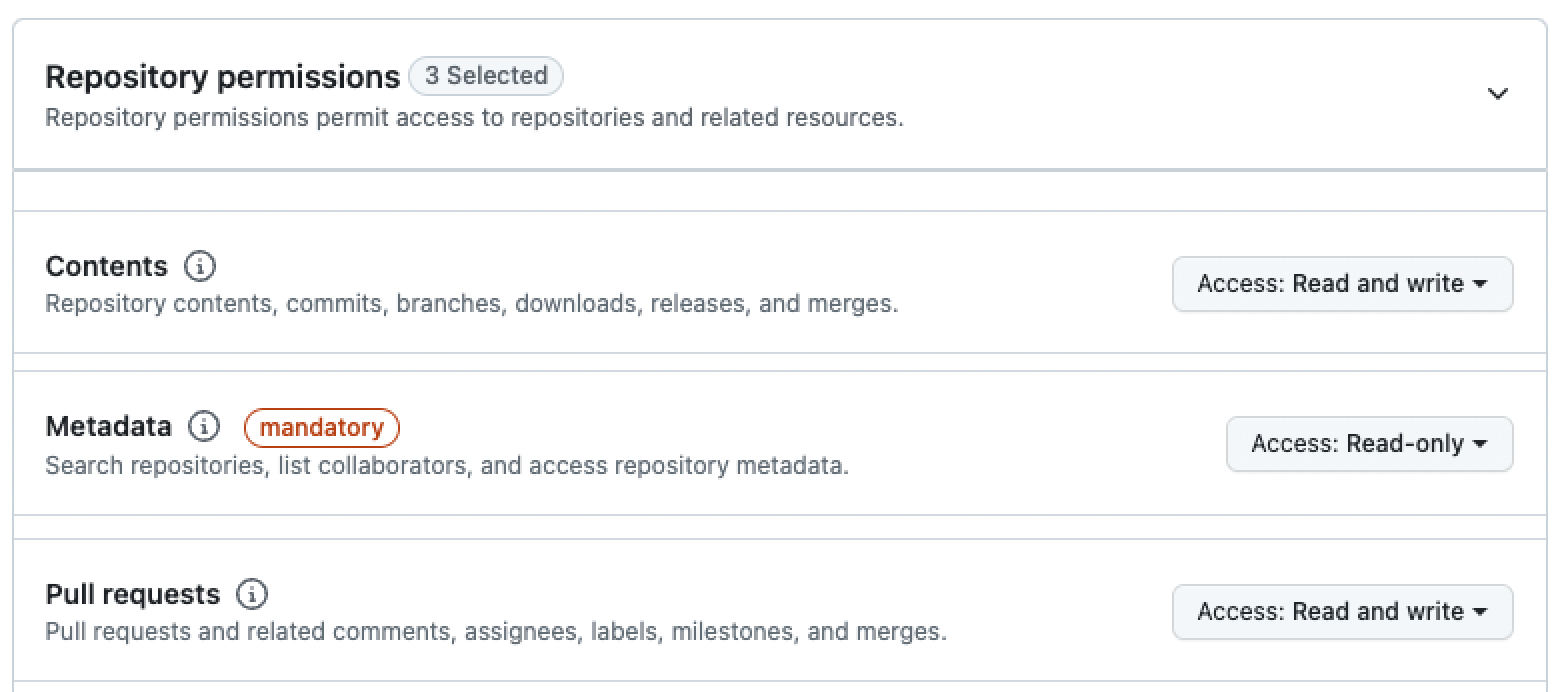
* *Pull Requests* (read and write)
* *Contents* (read and write)
8. Under **Permissions**, grant the following scopes:
* *Pull Requests* (read and write)
* *Contents* (read and write)
 9. Click **Generate token**.
### Connect Github to Elementary
Navigate to the **Account settings > Environments** and choose the environment to which you would like to connect the dbt project code repository.
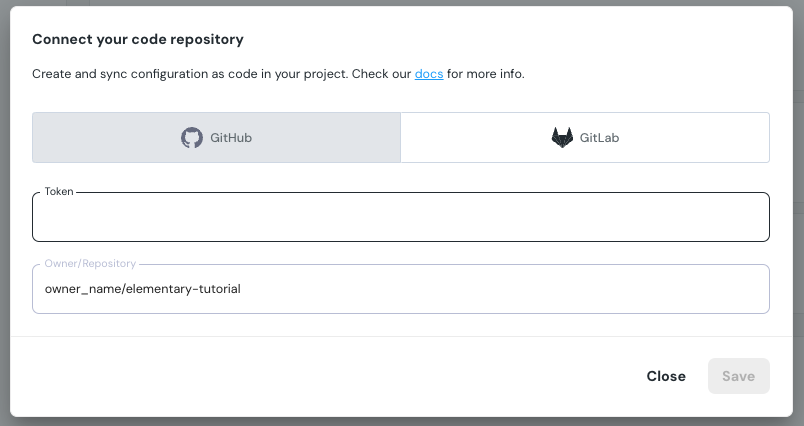
Select **Connect code repository**, and under Github enter the generated token and repo full name:
9. Click **Generate token**.
### Connect Github to Elementary
Navigate to the **Account settings > Environments** and choose the environment to which you would like to connect the dbt project code repository.
Select **Connect code repository**, and under Github enter the generated token and repo full name: